
KION Group LiO
Designing the touchscreen for LiO, Linde's autonomous guided vehicle, so operators always know where it's going, what it's doing, and what to do next.
TIMELINE
May – Aug 2026
ROLE
Product Development and Design Intern
TEAM
Product managers, engineers
LOCATION
Linde Material Handling, Xiamen
LONG STORY SHORT
I led UX/UI design for an autonomous guided vehicle and its warehouse management system, in a team getting ready to launch.
01
Design
Designed and prototyped the HMI end to end, from first setup to the everyday dashboard.
02
Research
Studied warehouse workflows and competitors, and turned usability problems into product requirements.
03
Cross-functional
Worked with PMs and engineers, and built AI workflows that helped engineering and business teams share knowledge.
THE CHALLENGE
How do we make the robot interface simple, clear, and usable?
An AGV runs on its own, but people still set it up, give it tasks and step in when something changes. Standing next to a moving forklift, an operator needs to understand three things at a glance: where the robot is going, what it is doing, and what to do next.
COMPETITIVE ANALYSIS
How other robots talk to people
Before designing, I studied competing AGVs in the Chinese market, tried operating existing AGVs myself, and talked with engineers about how they use the machines day to day. The same problems kept showing up.
~6 months
for engineers to learn to use an AGV with an older interface. And that was for the professionals.
FINDING 01
Designed by engineers, for engineers
Most interfaces were built around the machine, not the person using it. They showed technical settings instead of the task in front of the worker.
FINDING 02
Setup is a wall of steps
Getting started took a long chain of steps. For anyone who is not a professional, that was hard to follow and easy to get wrong.
MY RESPONSE
Guide people, one step at a time
LiO walks first-time users through setup with a clear stepper, lets them skip what is optional, and gives every screen one obvious next action.
DESIGN PRINCIPLES
Guidance
"What should I do next?"
Every screen has one clear next step, and setup shows the whole path with a stepper.
Feedback
"Is everything working?"
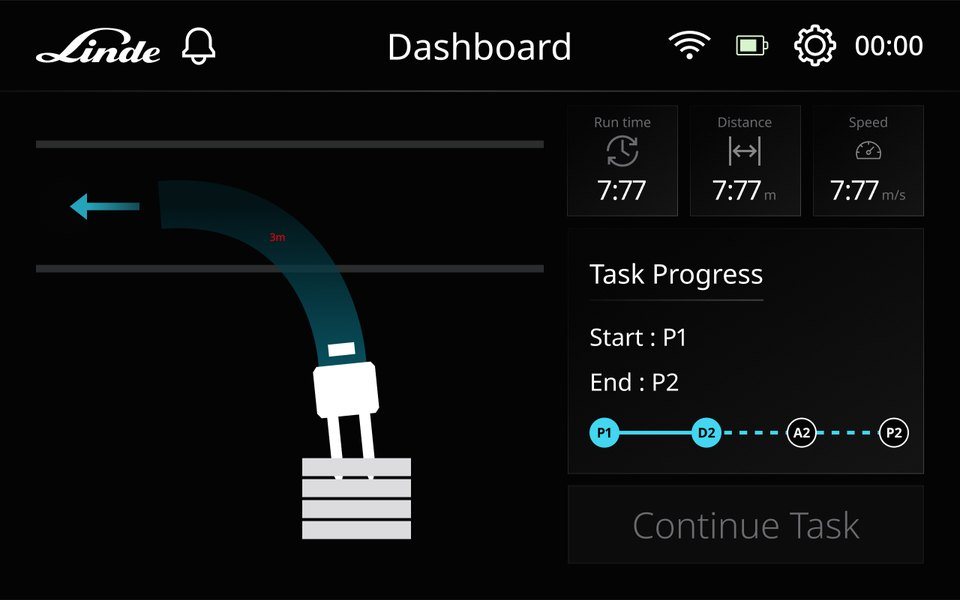
Live run time, distance, speed and task progress, plus colour that changes as the robot moves.
Orientation
"Where am I?"
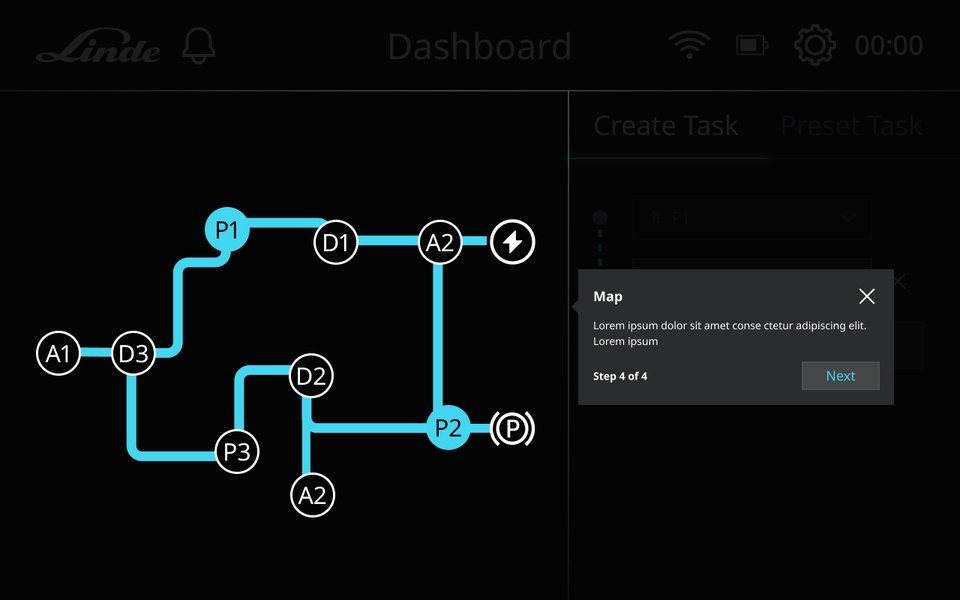
A simple route map with named pick, drop, charging and parking points.
DEFINING THE PRODUCT
26 screens, written down before they were drawn
Before designing, I wrote the HMI UI requirements: every screen, its purpose, who uses it, and the one action it asks for. Errors and pop-ups were planned as their own states from the start.
5
Startup
Power on, system check, errors, returning users
13
Onboarding
Map the space, set points, run a test
6
Daily operation
Create, start, follow and finish tasks
2
Settings
Manage and share maps and routes
USER FLOW
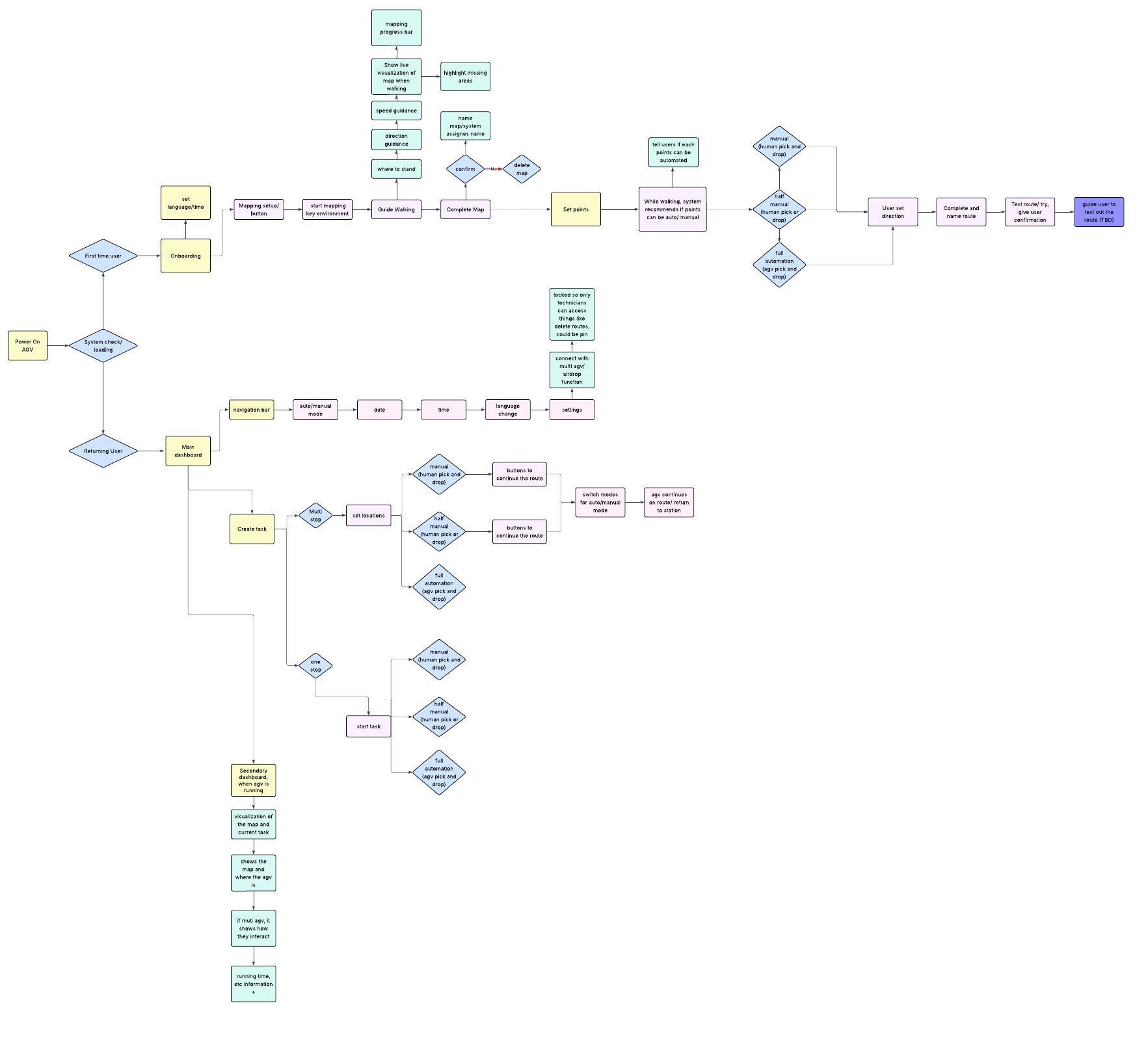
Mapping every path, and every question
The first full user flow covers first-time setup, returning users and daily tasks. I pinned open questions for engineering beside it, like how to make sure operators park the AGV in the right area when switching from manual to auto mode.
THE FLOWS
From unboxing to the first task
01
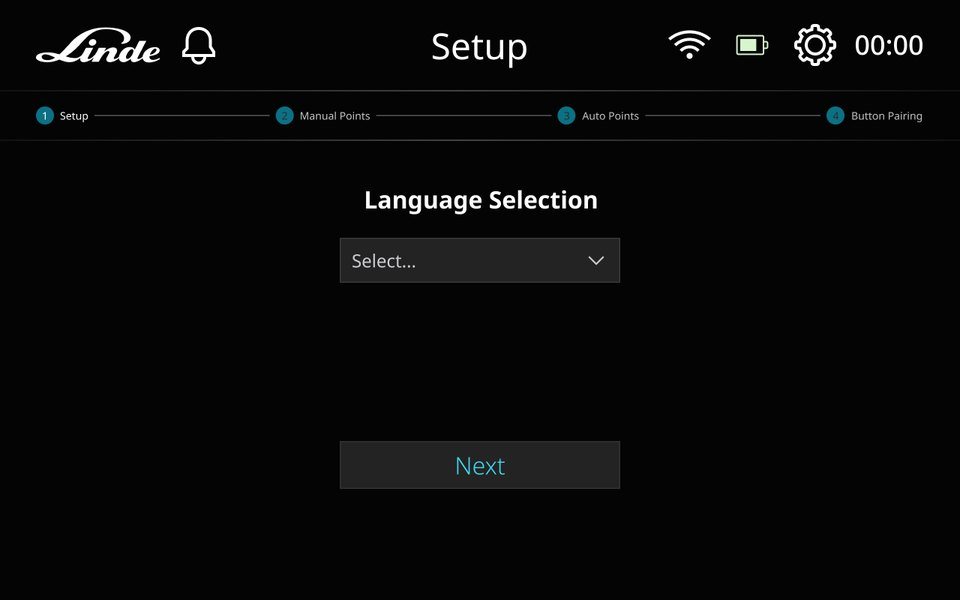
Setup
Language and Wi-Fi come first, with a stepper that shows every setup stage ahead.
02
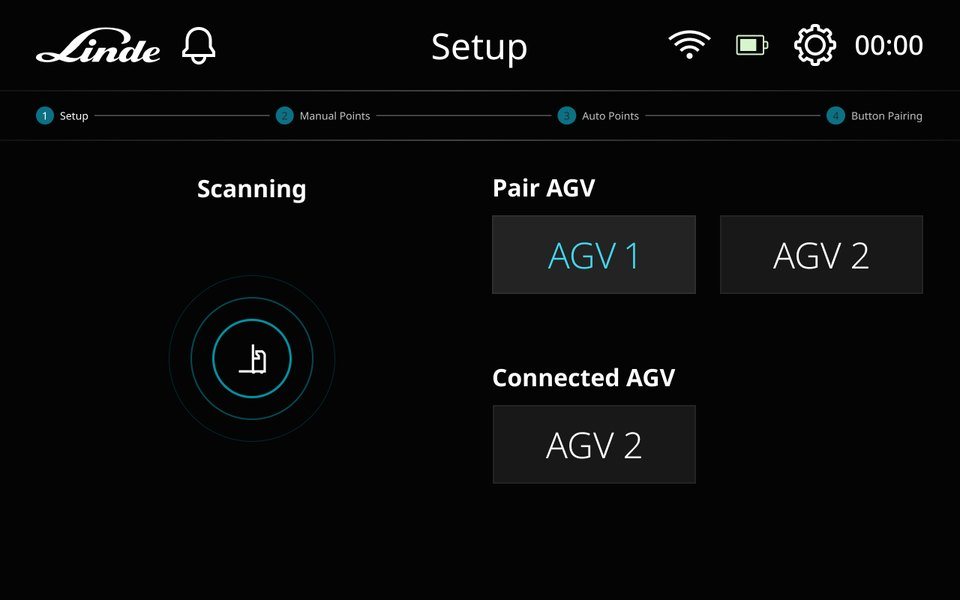
Pair AGVs
Scan for robots nearby and connect one or several to the same tablet.
03
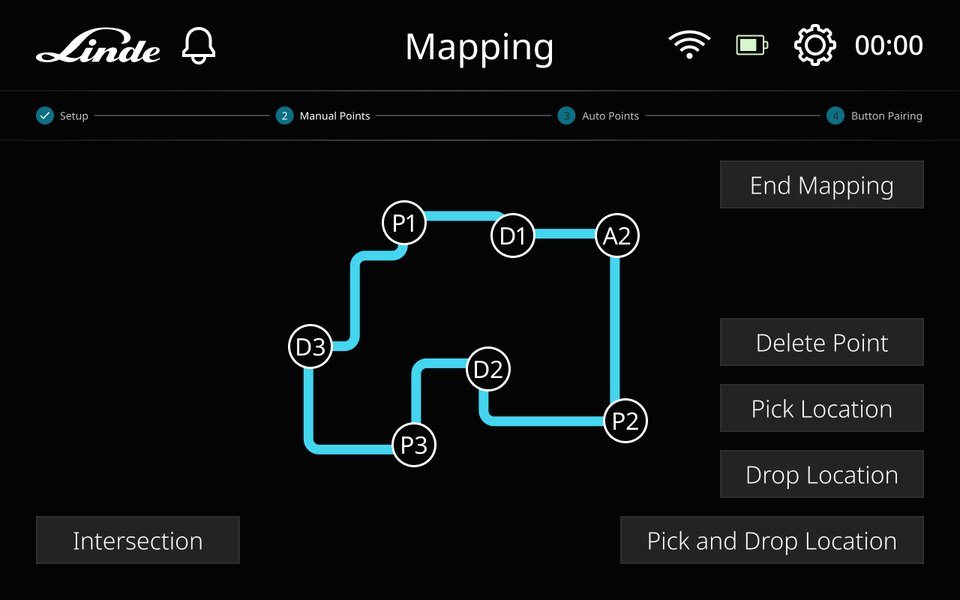
Map the floor
Drive the route and tap to mark pick, drop and intersection points. Charging and parking points can be skipped.
04
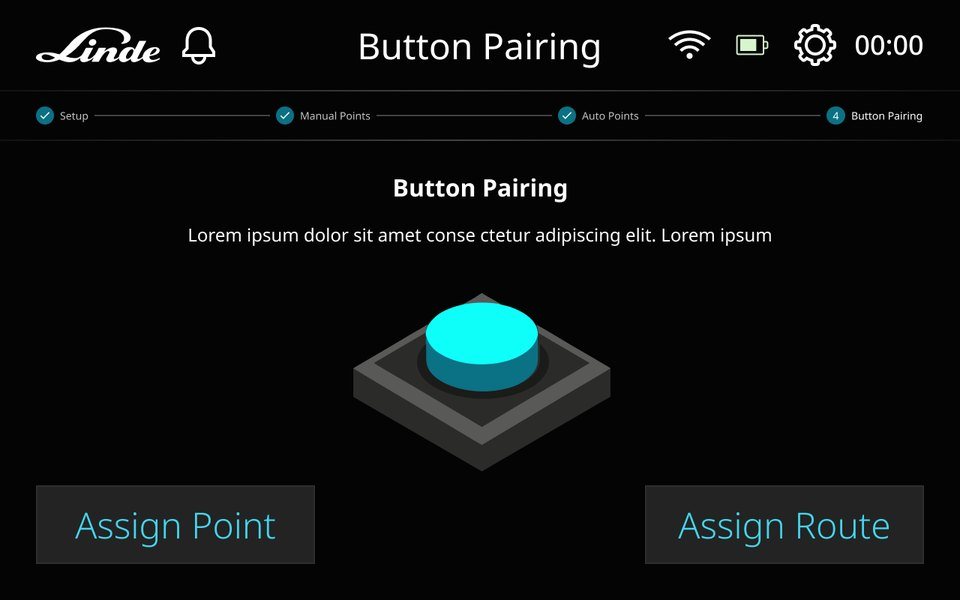
Pair physical buttons
Assign a hardware button to a point or a route, so workers can call the robot without the tablet. This step is optional.
05
Dashboard onboarding
A short guided tour points out the map and task controls on first launch.
06
Run a task
Pick a start and end point, then follow the robot live on the map and in the progress bar.
A CLOSER LOOK
Docking you can read at a glance
As the forklift lines up with a pallet, its path changes from red to amber to green. Continue Task only lights up once the robot is in place, so an operator never has to guess whether it is safe to go on.
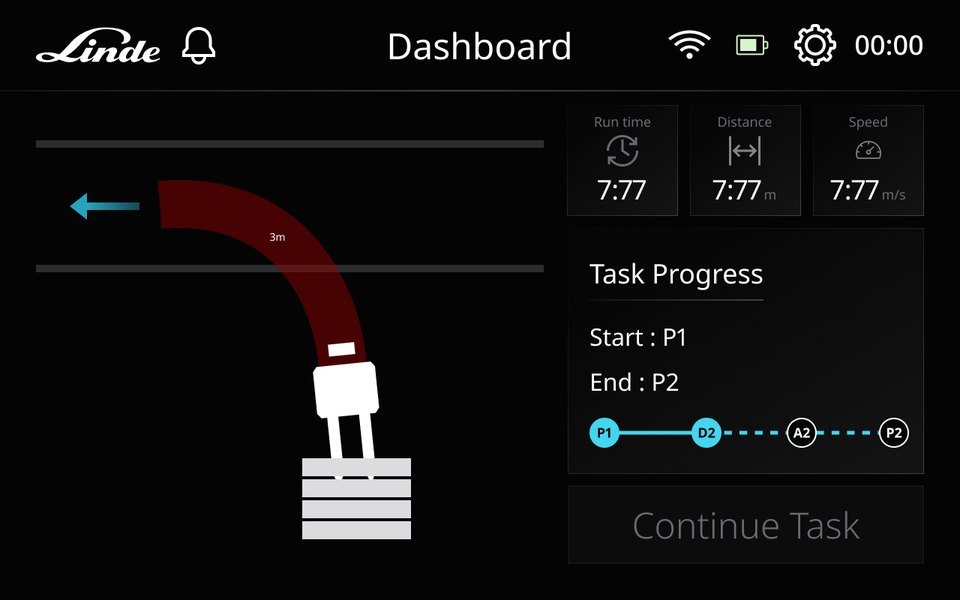
3 M Far off, path in red
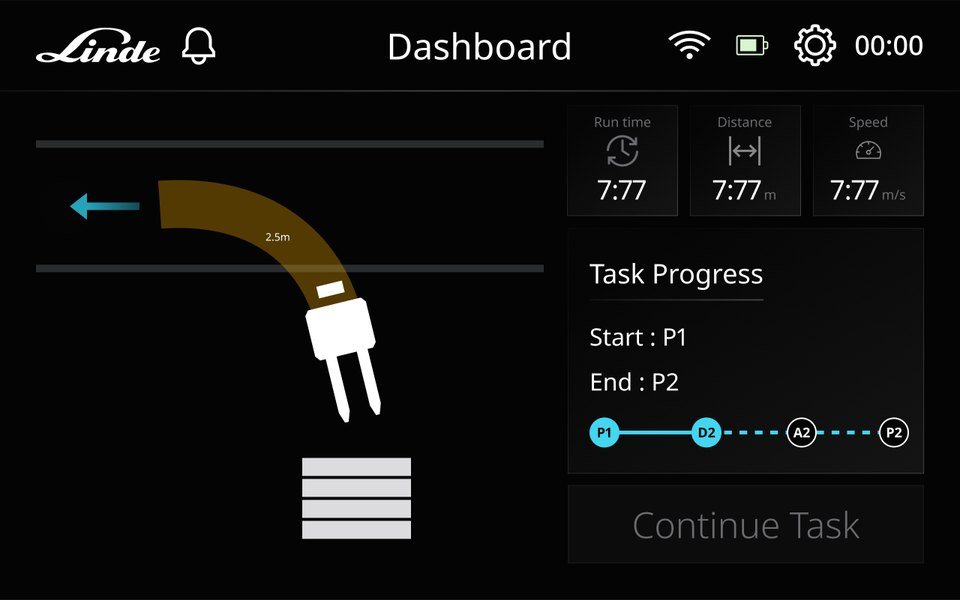
2.5 M Getting closer, amber
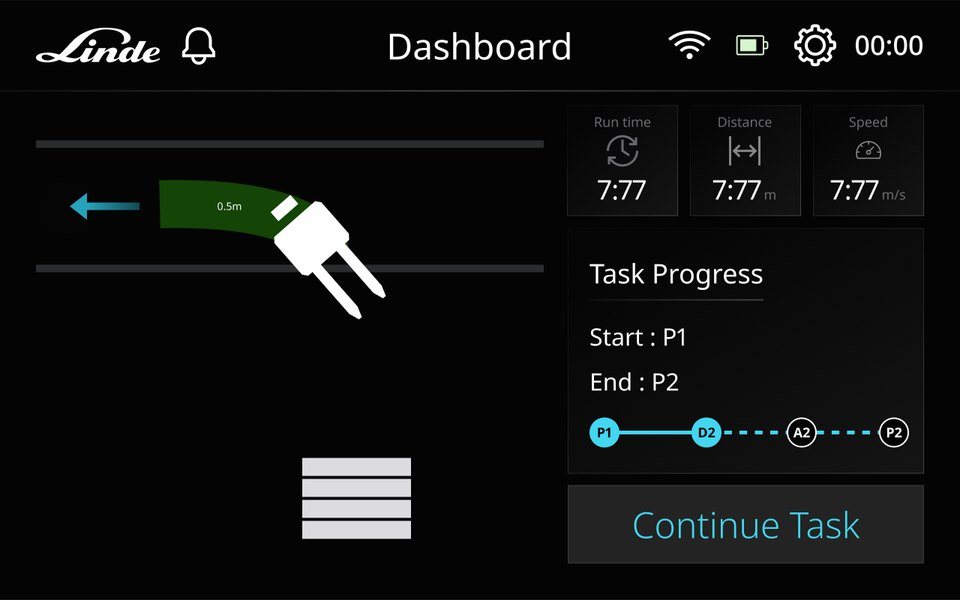
0.5 M In place, ready to continue
DESIGN SYSTEM
One turquoise, tuned for the floor
I set up the HMI foundations as tokens. Turquoise is the main brand colour, sitting on a dark base, with green, yellow and red kept for status only, and contrast checked for every colour.
Brand · turquoise
turquoise-100
#E5F8FB
turquoise-500
#42D6F0
turquoise-600
#25A3BA
turquoise-700
#0B7184
turquoise-900
#124A54
Feedback
green-500
#35CD05
yellow-500
#FFAD00
red-500
#FF0000
red-700
#CC0000
Neutrals
black
#000000
coolgrey-900
#222222
coolgrey-700
#444444
coolgrey-400
#9B9B9E
coolgrey-100
#EEEFF3
white
#FFFFFF
Typography · Noto Sans
Title XXL
64 PX · BOLD
Title XL
48 PX · BOLD
Title M
32 PX · BOLD
Title S
24 PX · REGULAR
Body S
18 PX · REGULAR
OUTCOME
LiO launched at Automation Summit 2026, and is now in pilot.
LEARNING TIME · OLDER INTERFACES
~6 months
for engineers to learn the machine
LEARNING TIME · LIO
< 1 day
the goal LiO is designed for, for engineers and non-experts alike
WHAT I TOOK AWAY
Simple beats impressive
LiO runs on complex technology.
Good design isn't about looking good. It's about turning a complicated technical process into something anyone can use, even someone who has never touched an AGV.
Two users, two jobs
Engineers set it up. Workers just use it.
Engineers care about mapping, routes and device management. Workers at stations care about starting tasks, checking status and finishing the job. Clear steps for setup, and everyday actions where they are easy to find.
The map is the hero
Operators read the screen while walking.
We reworked the information priority of first-time mapping again and again. In the end, the live map became the visual centre, with tips and buttons placed where a quick glance can find them.